
Benefits of Digital Lubrication Management Systems
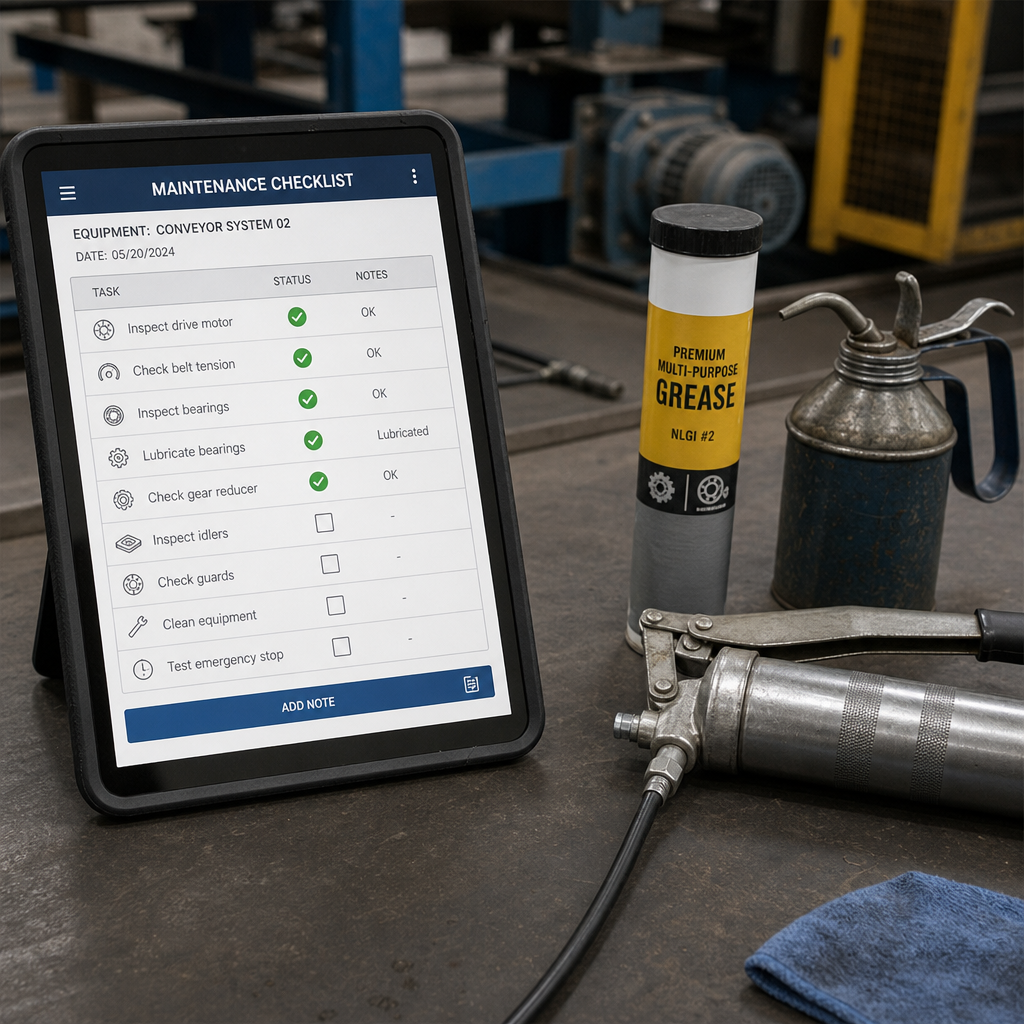
Digital lubrication management systems bring lubrication instructions, schedules, assignments, and maintenance records into one organized workflow. They help teams manage equipment maintenance with clearer information at each lubrication point, whether technicians use a manual grease gun or connected dispensing equipment. Their value lies in making the work easier to plan, perform, and verify, not simply replacing paper with a screen. (skf.com)
What does a digital lubrication management system actually do?
A digital lubrication management system, or LMS, organizes the information and activities needed to lubricate equipment consistently. Depending on the platform, it can maintain equipment hierarchies, generate recurring tasks, assign routes, display procedures, and record completed work. Some systems also bring lubricant consumption and condition information into dashboards for review. (lubepm.com)
Think of the system as the coordination layer around lubrication. A technician still needs the correct lubricant, suitable tools, and practical skills. Digital guidance makes the approved method available where the work happens, rather than leaving someone to interpret an old spreadsheet or find the colleague who knows the machine. (lubepm.com)
The distinction matters: digital lubrication management is not the same as automatic lubrication. Software can support hands-on routes, while automatic lubricators physically dispense lubricant. A site can improve its planning and records without replacing every manual lubrication system already in service. (skf.com)

Better scheduled maintenance starts with clear instructions
The useful unit of lubrication planning is not simply “grease this machine.” It is a defined task for a particular point, with an approved product, quantity, interval, and method. Digital task records can hold these details alongside tools, notes, and completion history, giving scheduled maintenance a more specific foundation. (cdn.skfmediahub.skf.com)
When evaluating a platform, ask whether each task can answer these practical questions:
- Where is the point? Require an equipment identifier and enough location detail to distinguish similar fittings.
- What should be applied? Specify the approved lubricant, not an informal description such as “general-purpose grease.”
- How much and how often? Record the approved quantity and interval, including the source of that instruction.
- How should the work be performed? Include the method, required tools, access conditions, and relevant site procedures.
- What prevents completion? Provide a way to record an inaccessible point, damaged fitting, or missing lubricant without falsely closing the task.
Treat this information as controlled maintenance data. Assign someone to review changes, and avoid carrying questionable instructions into a new system unchanged. Digitizing an unverified route is not the same as improving it.
How does digital management improve manual lubrication?
Digital management improves manual lubrication by connecting the physical task with consistent instructions and a traceable record. The grease gun still delivers the lubricant, but software can clarify what is due and preserve who completed it, when it happened, which lubricant was used, and the amount recorded. That gives supervisors more useful evidence than a general note that a route was finished. (cdn.skfmediahub.skf.com)
Consider an illustrative route covering several similar pumps. Instead of one broad completion checkbox, ask the system to show the status of each lubrication task. If one fitting cannot be serviced, the technician should be able to explain the exception while leaving the remaining work accurately documented.
The grease gun remains part of the solution
Manual application still deserves attention. Grease delivery per stroke can vary with factors such as backpressure and gun wear, so stroke counting should not automatically be treated as precise quantity measurement. A compatible grease meter measures the lubricant passing through it, helping technicians compare actual delivery with the specified amount. (cdn.skfmediahub.skf.com)
Choose grease gun accessories around the approved task. For example, flexible hoses and metering tools can complement manual application; suitable grease gun attachments should match the equipment and tool manufacturer’s requirements. A digital meter does not automatically mean wireless reporting, so verify whether readings transfer to the LMS or require manual entry. (cdn.skfmediahub.skf.com)
During a trial, ask technicians to demonstrate both application and recording. Check that the displayed units match the task instructions, and that recording a measured quantity is straightforward. Avoid selecting a tool solely because it carries a digital display.
A digital work order should close the communication loop
A digital work order can connect planning, assignment, execution, and reporting. Platforms may generate and assign tasks, support mobile execution, and share information with existing systems. However, those capabilities depend on the product and its configuration; they should be demonstrated rather than assumed. (us.lubricants.mobil.com)
Use the following workflow as a practical acceptance test:
- Assign the task: Make ownership and the expected completion window visible.
- Open the instructions: Confirm the technician can identify the lubrication point and approved method.
- Record the outcome: Capture completed work separately from blocked or deferred work.
- Escalate the exception: Send an unresolved issue to a named person or maintenance queue.
- Verify closure: Confirm that corrective work and any revised instructions reach the original equipment record.
The important test is not whether an app accepts a photograph. Ask what happens after someone submits it. Who reviews the issue, how is its status tracked, and how does the technician know that action followed?
Supporting operator driven reliability and practical training
Operator driven reliability brings operating personnel into equipment care and early problem reporting. SKF describes digital lubrication tools as a way to give crews more precise information and connect previously isolated processes, supporting people’s skills rather than replacing them. That is a useful principle for implementation: better information should strengthen judgment, not remove it. (youtube.com)
For example, design a reporting form that lets an operator identify an asset, describe an unusual observation, and route it for maintenance review. Keep the distinction between reporting a concern and diagnosing its cause. Do not make adding grease the default response to every unexpected sound or temperature observation.
Use the rollout to capture experienced technicians’ knowledge in reviewed procedures. Record clear point descriptions, useful photographs, and common exceptions, then have another qualified person test the instructions. Pair digital guidance with hands-on assessment rather than treating a completed screen as proof of competence.
For a plant experiencing turnover, make training continuity an explicit pilot objective. Ask a less-experienced technician to follow the route under supervision. Note where they need clarification, and improve those instructions before expanding deployment.
Condition data and integration need realistic expectations
Some lubrication platforms support condition information and dynamic scheduling, including adjustments informed by equipment condition or oil analysis. These capabilities can help teams move beyond calendar-only decisions, but they are not universal LMS features. Confirm which data sources the proposed system actually accepts and how someone reviews resulting recommendations. (lubepm.com)
Real-time monitoring also requires more than a software license. Connected measurement and monitoring capabilities must exist for the application, and useful interpretation depends on operating context. SKF notes that oil-analysis trends should be considered alongside sampling quality, operating conditions, and other indicators such as vibration and temperature. (cdn.skfmediahub.skf.com)
Likewise, establish how the LMS will work with your computerized maintenance management system, or CMMS, and enterprise asset management system, or EAM. Vendors describe integration capabilities, but the actual exchange needs checking. Ask which system owns asset identifiers, schedules, completion status, and corrective work requests and demonstrate the handoff using a real task. (lubepm.com)
Where should a maintenance team start?
Start with a bounded pilot that addresses a documented lubrication problem, not an immediate sitewide rollout. SKF recommends assessing current practices, building a business case around known issues, developing skills, and setting improvement targets. Apply that approach to one manageable route where the team can verify both the instructions and the workflow. (cdn.skfmediahub.skf.com)
Before the pilot, establish a baseline for route completion, overdue tasks, and unresolved exceptions. Keep implementation costs visible too: asset-data cleanup, devices, training, subscriptions, and integration work all belong in your evaluation.
Review results with technicians as well as managers. Look for fewer ambiguous instructions and better exception follow-up, not just more completed checkboxes. Treat any claimed downtime savings cautiously unless your own records support the connection.
Make the work more reliable, not merely more digital
A useful digital lubrication program combines clear instructions, suitable tools, trained people, and records that support follow-up. Planning, procedures, training, and performance measurement remain essential parts of lubrication management. (cdn.skfmediahub.skf.com)
Begin with a route worth improving. Prove that the workflow helps people perform and verify the work, then expand what succeeds.